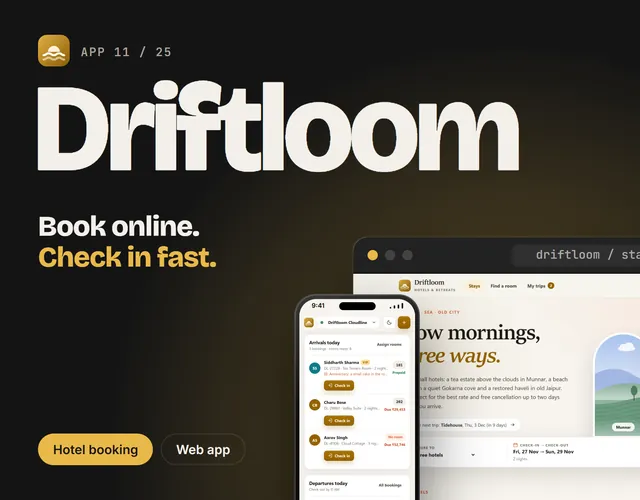
Case study · Education · 2026
Chalkwren.
A school management web app for attendance, timetables, exams and fees.
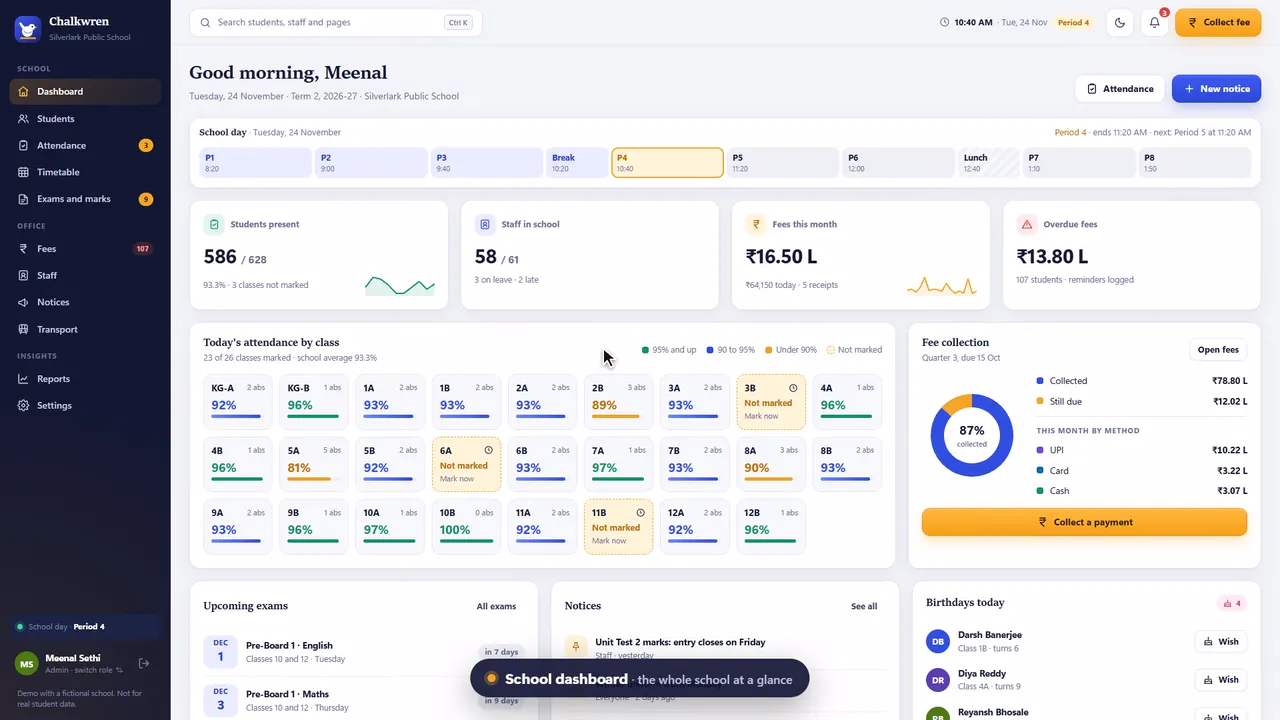
Overview
Attendance, the timetable, exams and fees for one school, in a single web app. Plus staff, notices, bus routes and a parent view.
Who is it for?
Problem → solution
Everyday pains in a busy school, and what the app does about each one.
- Problem 01
Attendance sits in paper registers, so parents hear about absences late.
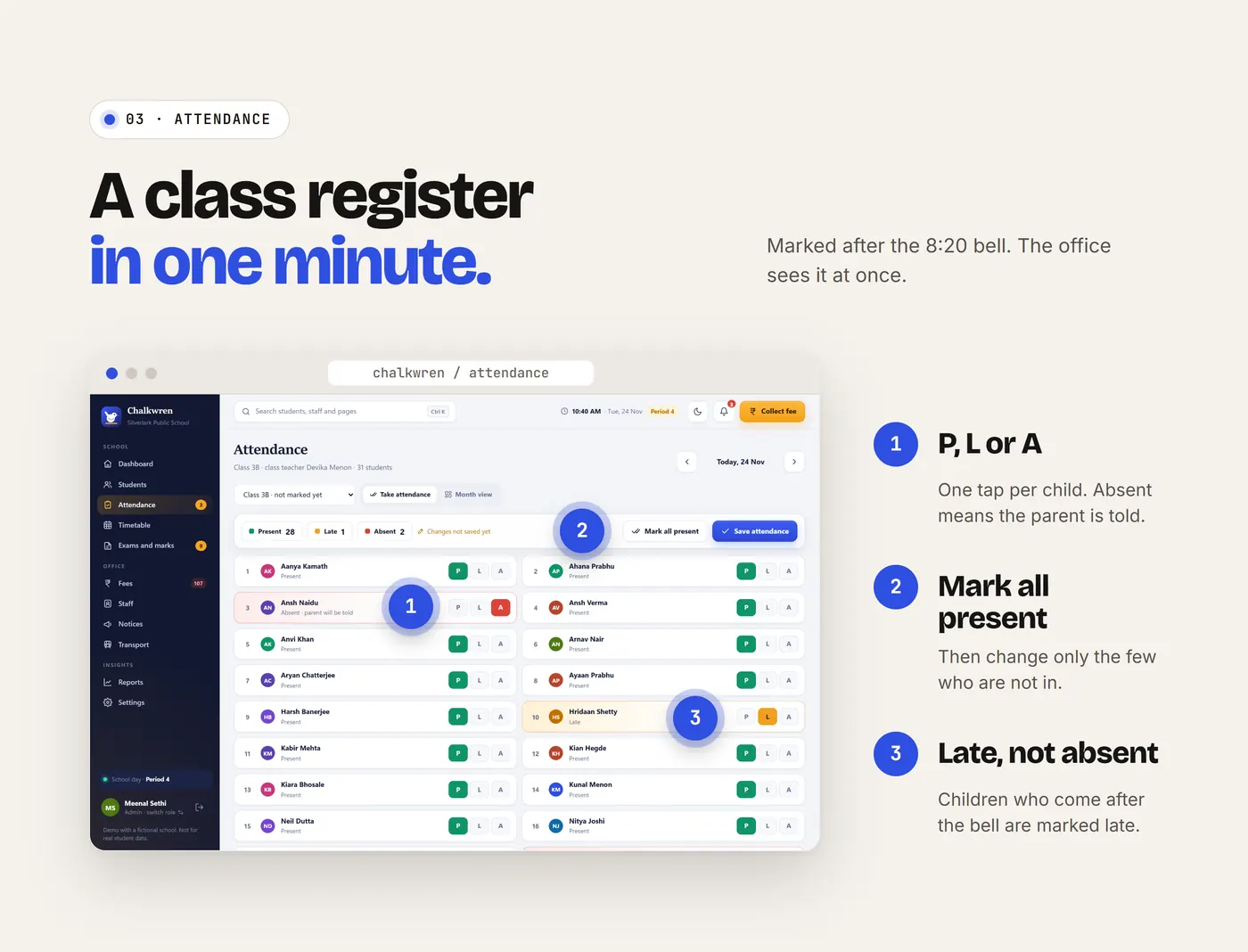
What the app doesTap P, L or A for each child. Parents of absent children are told.
- Problem 02
One teacher gets booked into two classes at the same time.
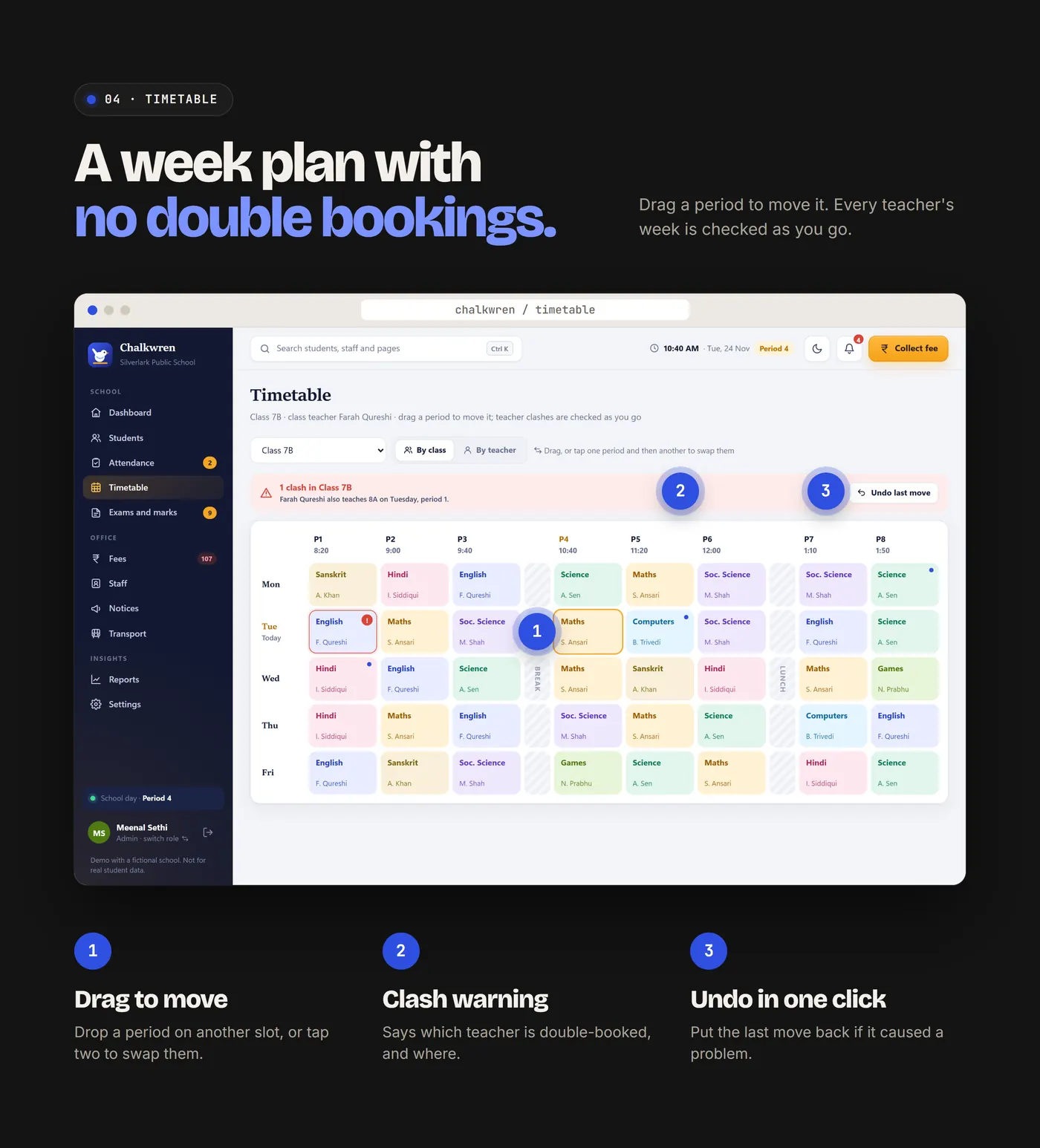
What the app doesThe timetable checks every move and flags a clash at once.
- Problem 03
Fee dues live in a ledger, and nobody knows who still owes.
What the app doesDues by student, reminders, and a receipt for every payment.
Key features
A class register in one minute.
Marked after the 8:20 bell. The office sees it at once.
A week plan with no double bookings.
Drag a period to move it. Every teacher's week is checked as you go.
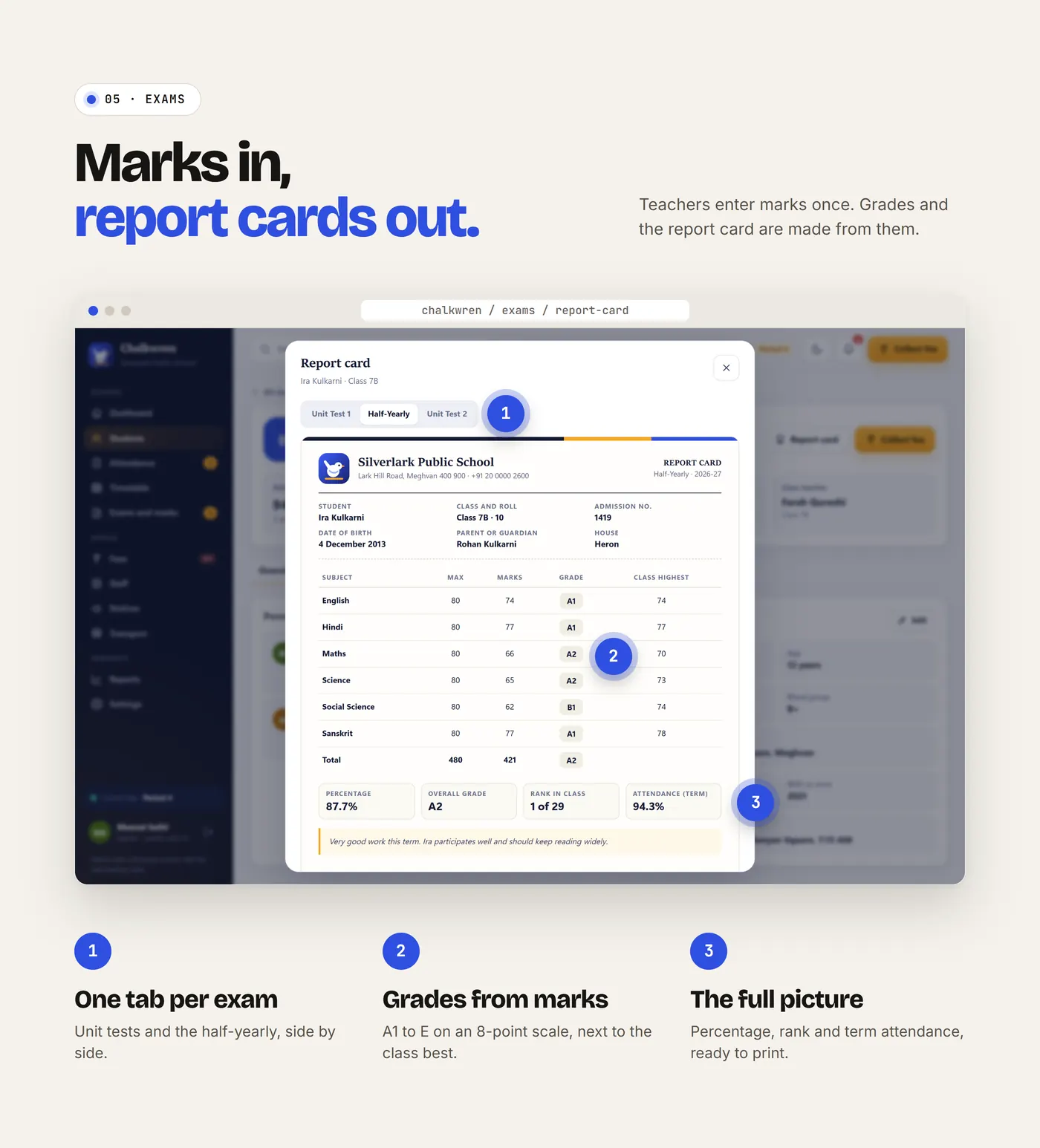
Marks in, report cards out.
Teachers enter marks once. Grades and the report card are made from them.
On a phone
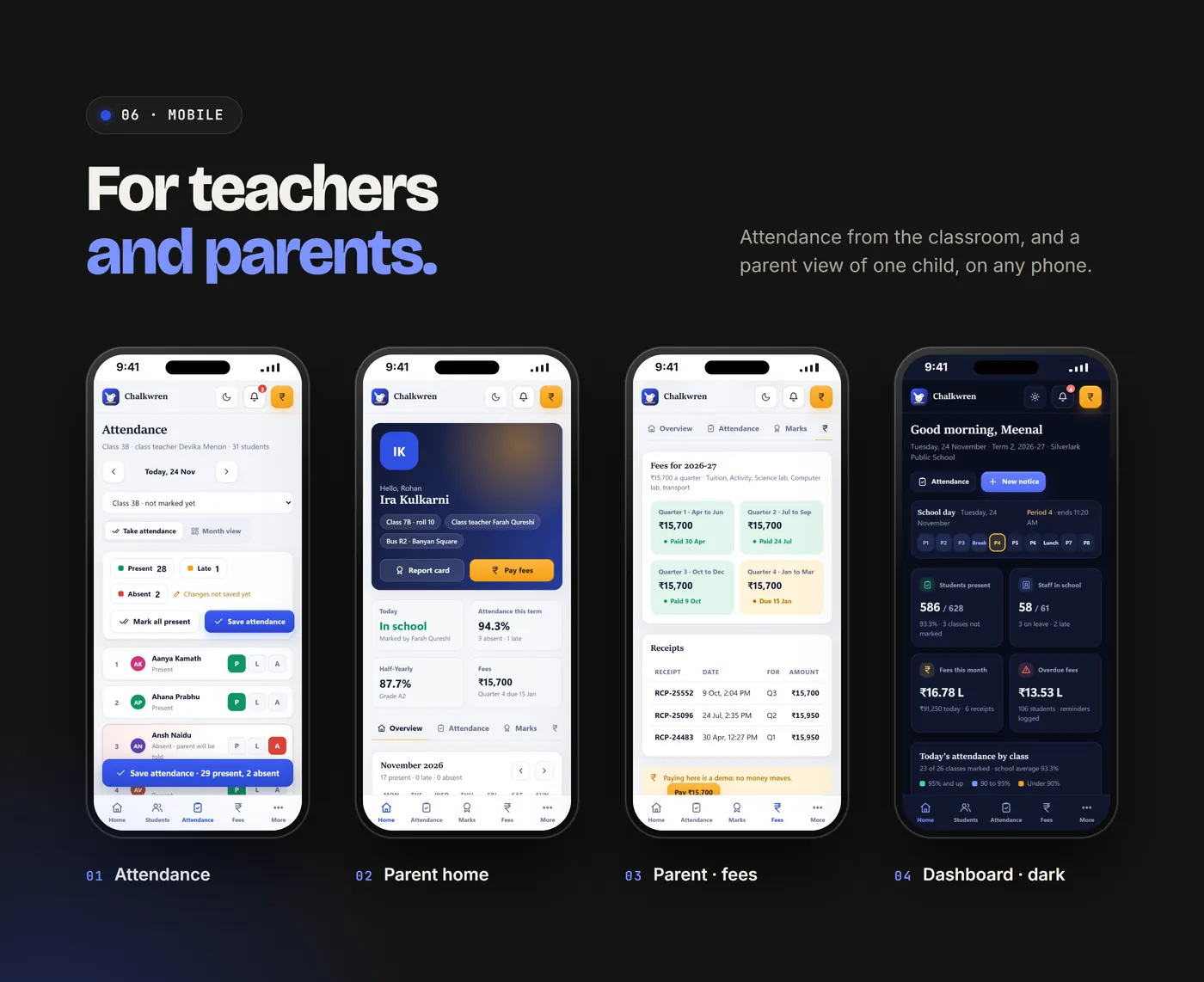
For teachers and parents. Attendance from the classroom, and a parent view of one child, on any phone.
Design system
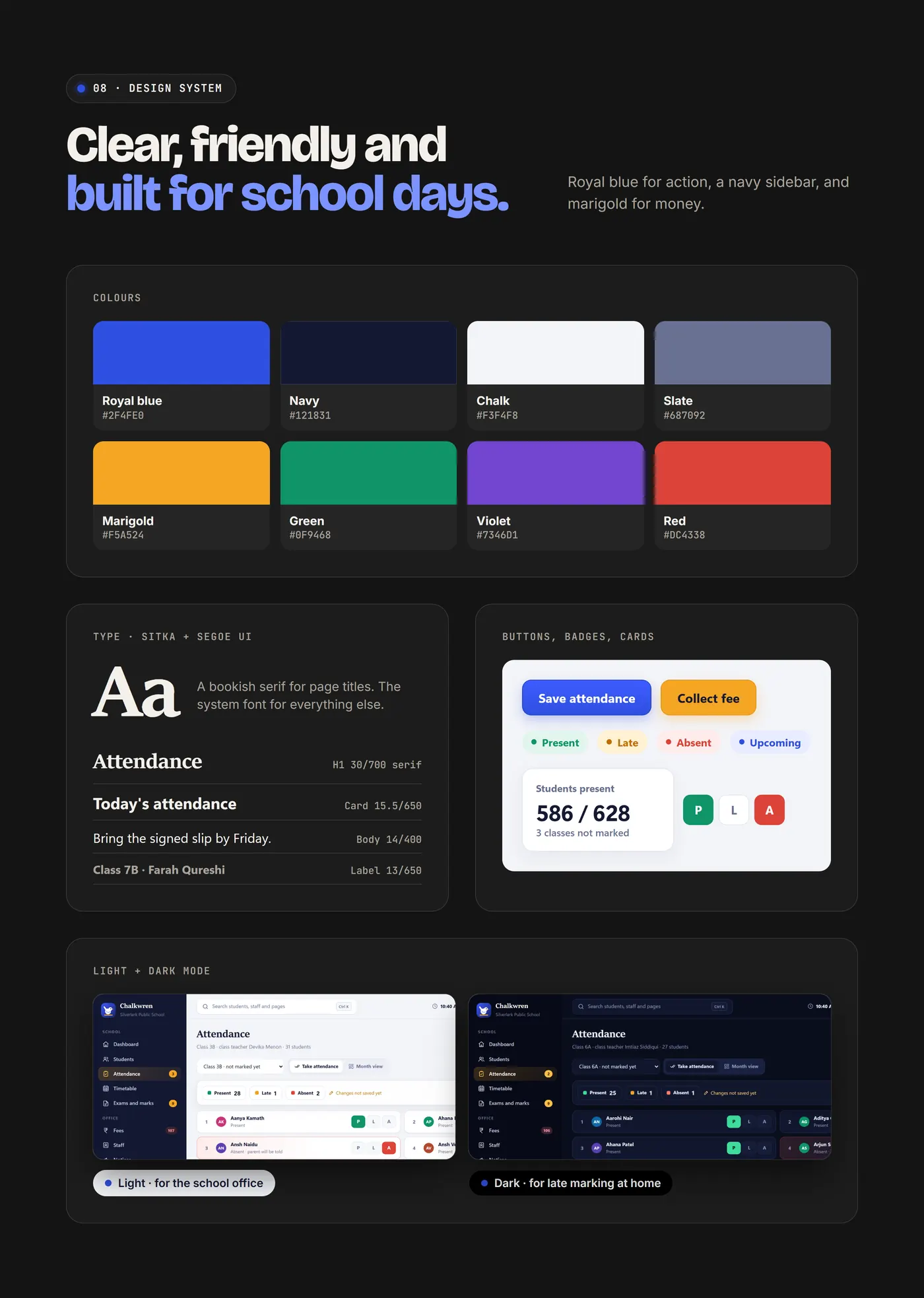
Clear, friendly and built for school days. Royal blue for action, a navy sidebar, and marigold for money.
#2F4FE0#121831#F3F4F8#687092#F5A524#0F9468#7346D1#DC4338Type: Sitka + Segoe UI
How it was built
- Plain HTML, CSS and JavaScript: no framework, fast on a phone.
- Built with AI-assisted development: I set the brief, flows and design rules, then directed and reviewed the code.
- Light and dark mode, and layouts for desktop, tablet and phone.
- Sample data that moves with today's date and is saved in the visitor's browser.
- An automated end-to-end test (Playwright) clicks every button, and runs again on fixed dates such as 31 December and 1 April.
- Concept project: the brand, people and data are fictional.