Case study · Construction · 2026
Girdernote.
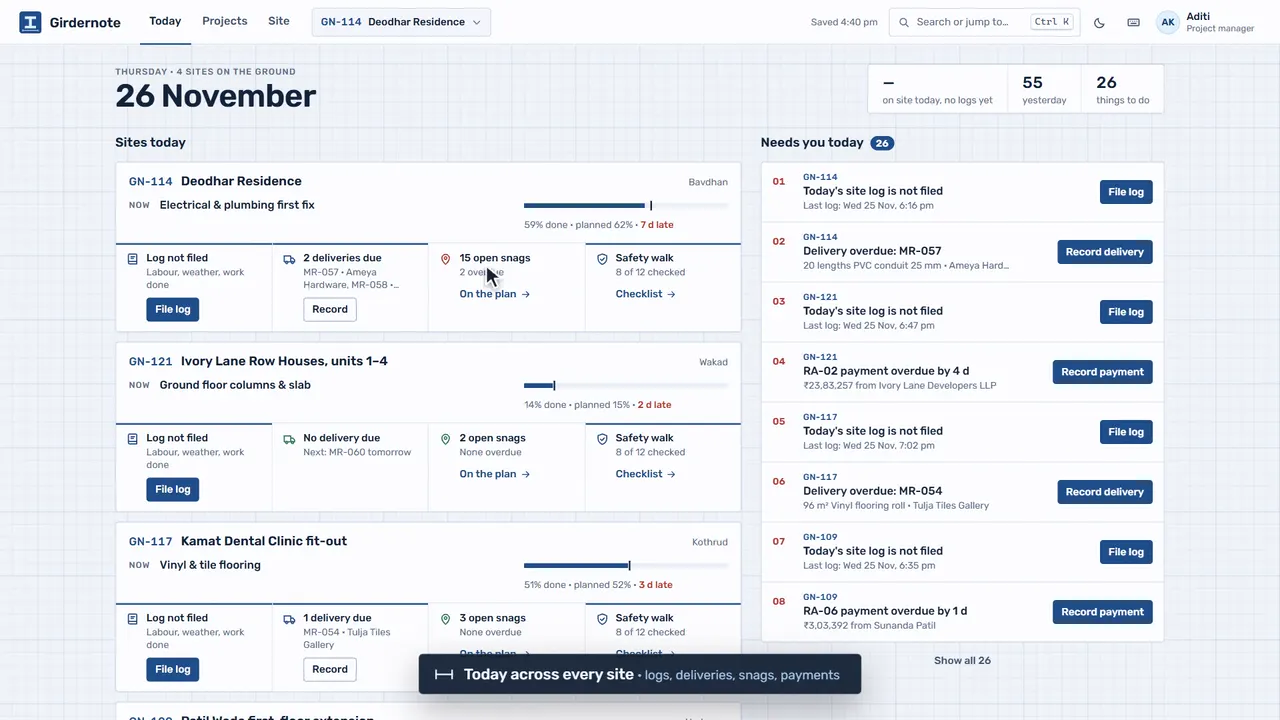
A site project tracker for a small building contractor: programme, site diary, snags on the plan and running bills.
Overview
A phase programme, a daily site diary and snags on the floor plan for a small building contractor, in a single web app. Plus materials, labour, running bills, drawings and safety.
Who is it for?
Problem → solution
Everyday pains on a small building job, and what the app does about each one.
- Problem 01
The site diary is a paper book the office never sees.
What the app doesThe day is logged on a phone in under a minute.
- Problem 02
Snags get lost in chat photos and phone calls.
What the app doesEach snag is a pin on the floor plan, with room, trade and fix-by date.
- Problem 03
One late phase quietly pushes the handover date.
What the app doesMove a phase and every later phase follows, with the new handover.
Key features
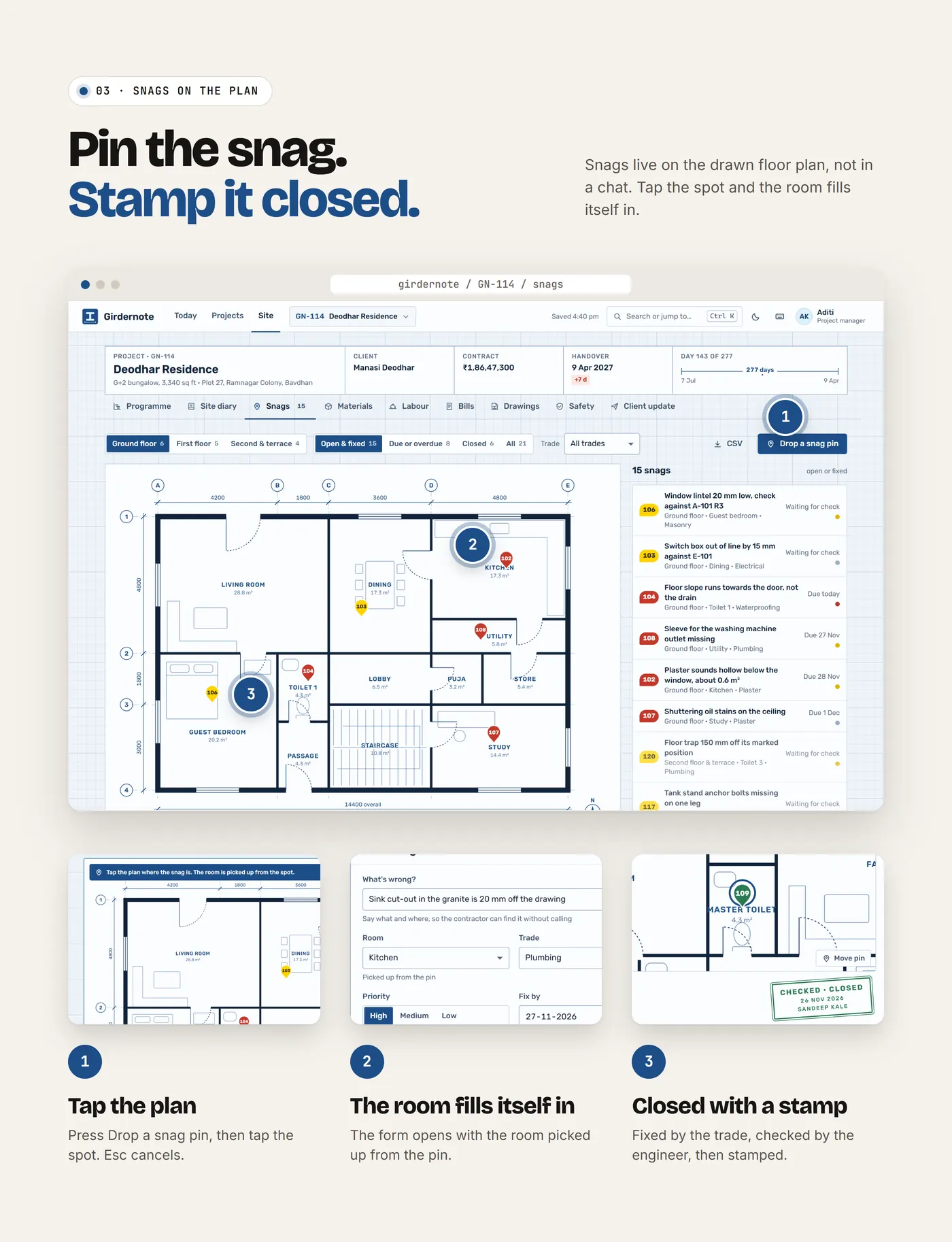
Pin the snag. Stamp it closed.
Snags live on the drawn floor plan, not in a chat. Tap the spot and the room fills itself in.
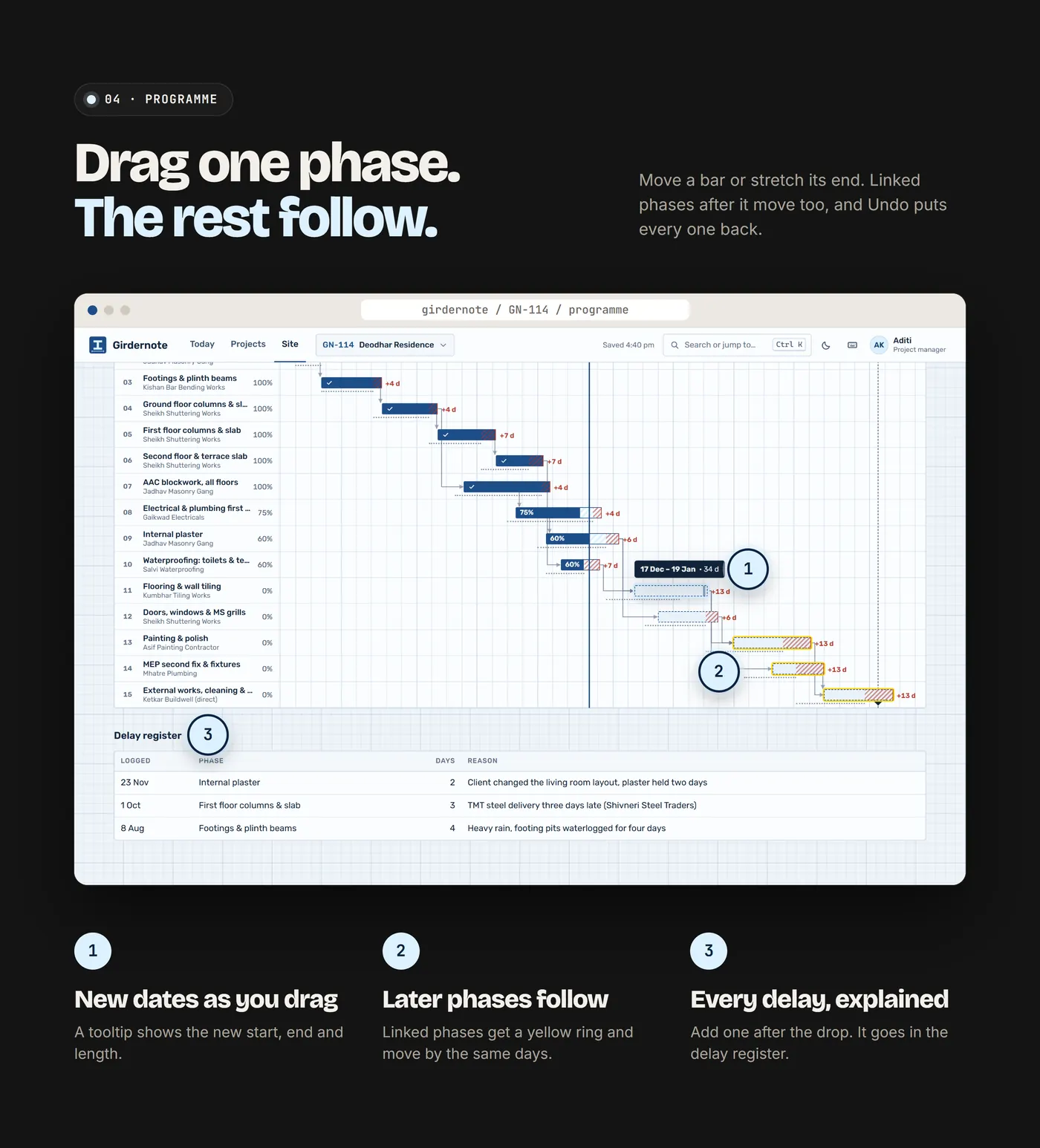
Drag one phase. The rest follow.
Move a bar or stretch its end. Linked phases after it move too, and Undo puts every one back.
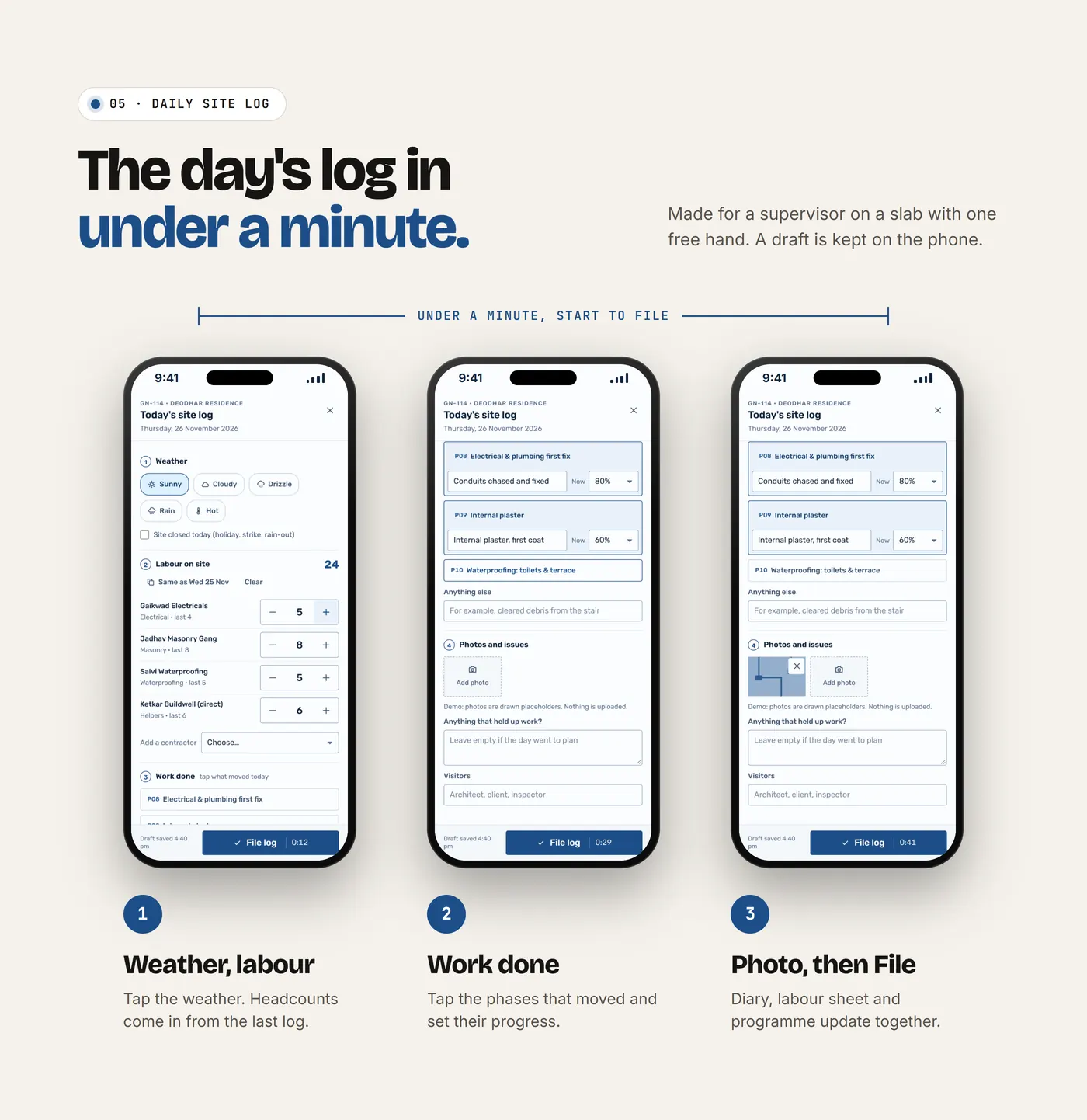
The day's log in under a minute.
Made for a supervisor on a slab with one free hand. A draft is kept on the phone.
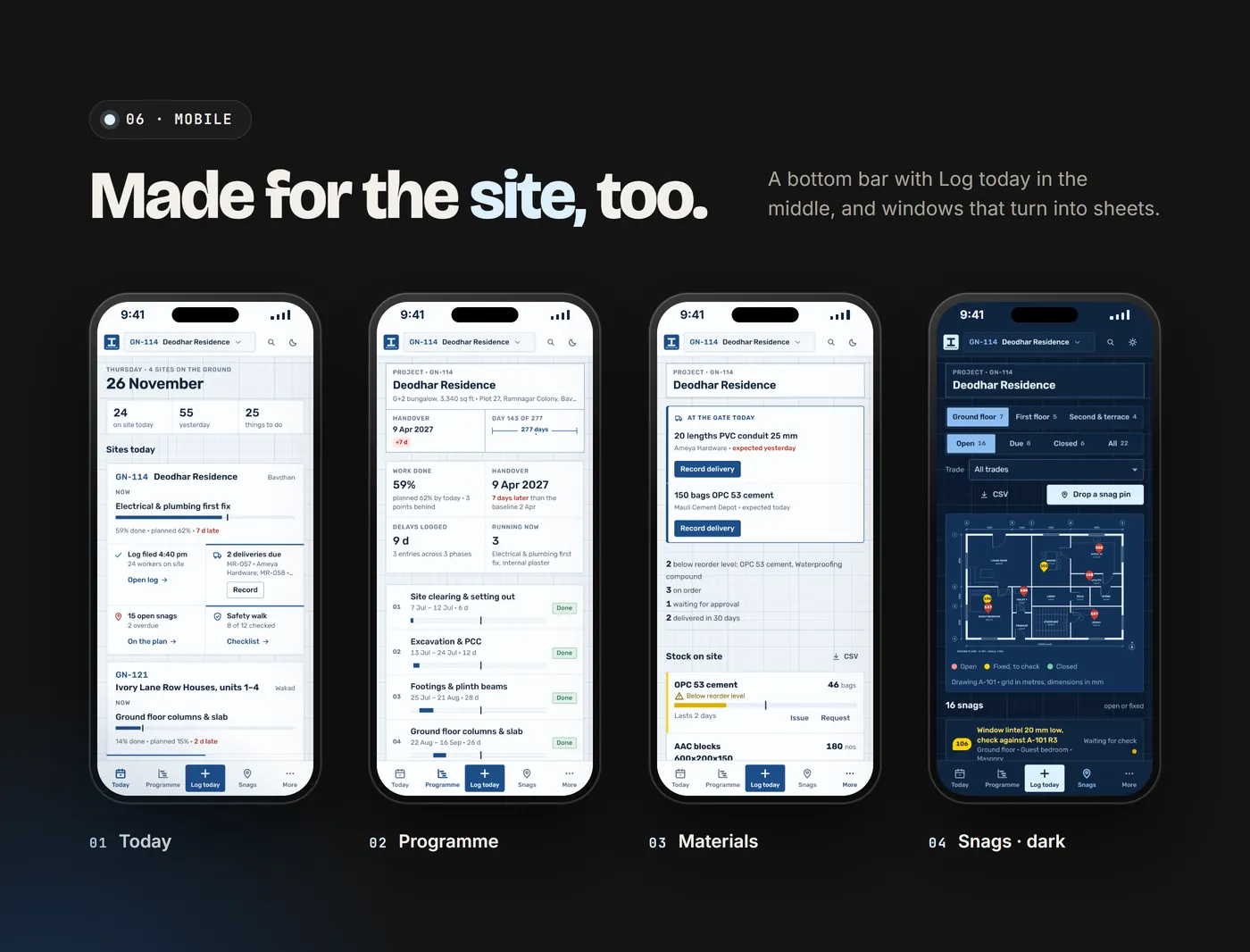
On a phone
Made for the site, too. A bottom bar with Log today in the middle, and windows that turn into sheets.
Design system
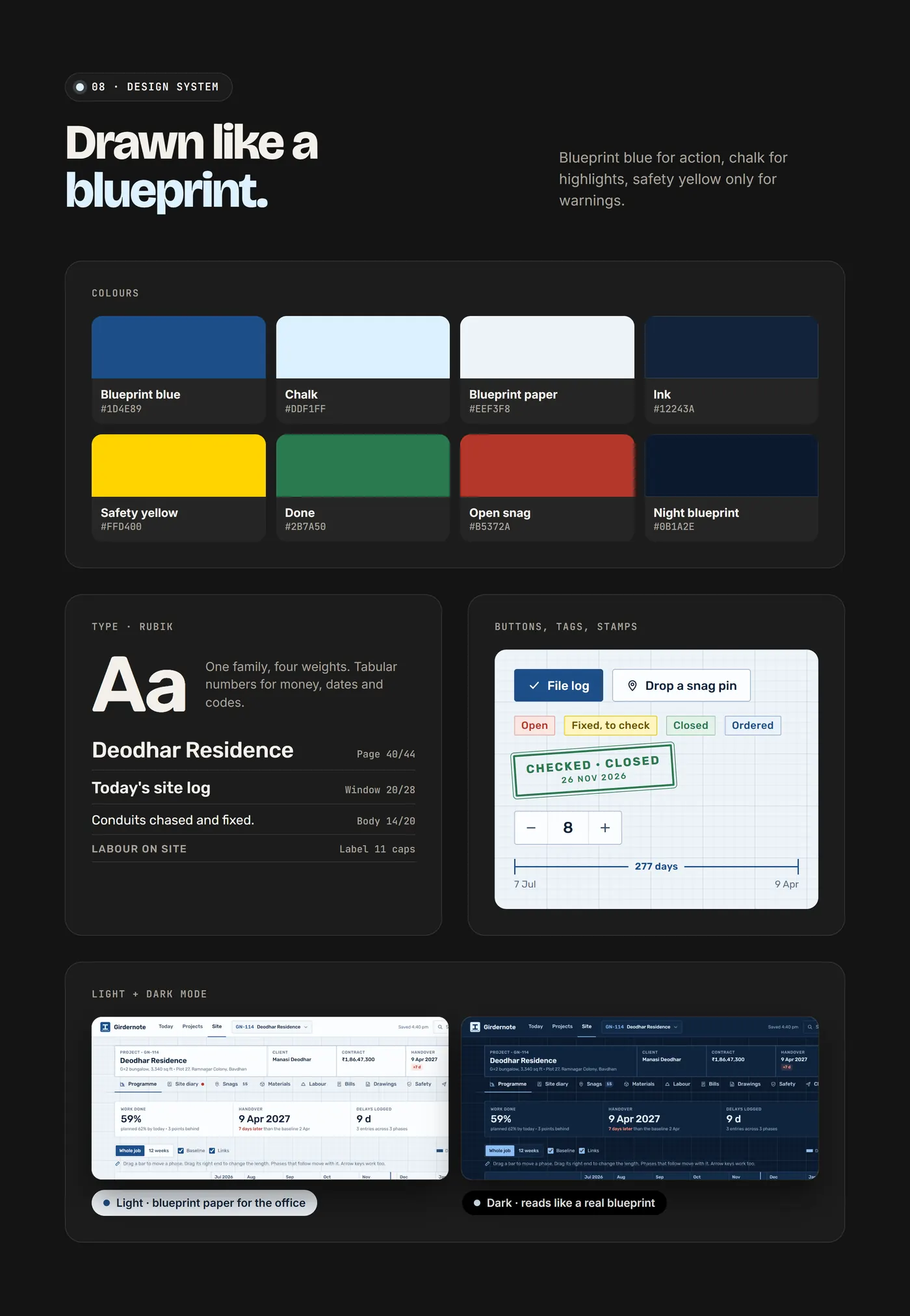
Drawn like a blueprint. Blueprint blue for action, chalk for highlights, safety yellow only for warnings.
#1D4E89#DDF1FF#EEF3F8#12243A#FFD400#2B7A50#B5372A#0B1A2EType: Rubik
How it was built
- Plain HTML, CSS and JavaScript: no framework, fast on a phone.
- Built with AI-assisted development: I set the brief, flows and design rules, then directed and reviewed the code.
- Light and dark mode, and layouts for desktop, tablet and phone.
- Sample data that moves with today's date and is saved in the visitor's browser.
- An automated end-to-end test (Playwright) clicks every button, and runs again on fixed dates such as 31 December and 1 April.
- Concept project: the brand, people and data are fictional.