Case study · Restaurants & food · 2026
Saffron POS.
A restaurant POS + kitchen display that keeps the dinner rush moving.
Overview
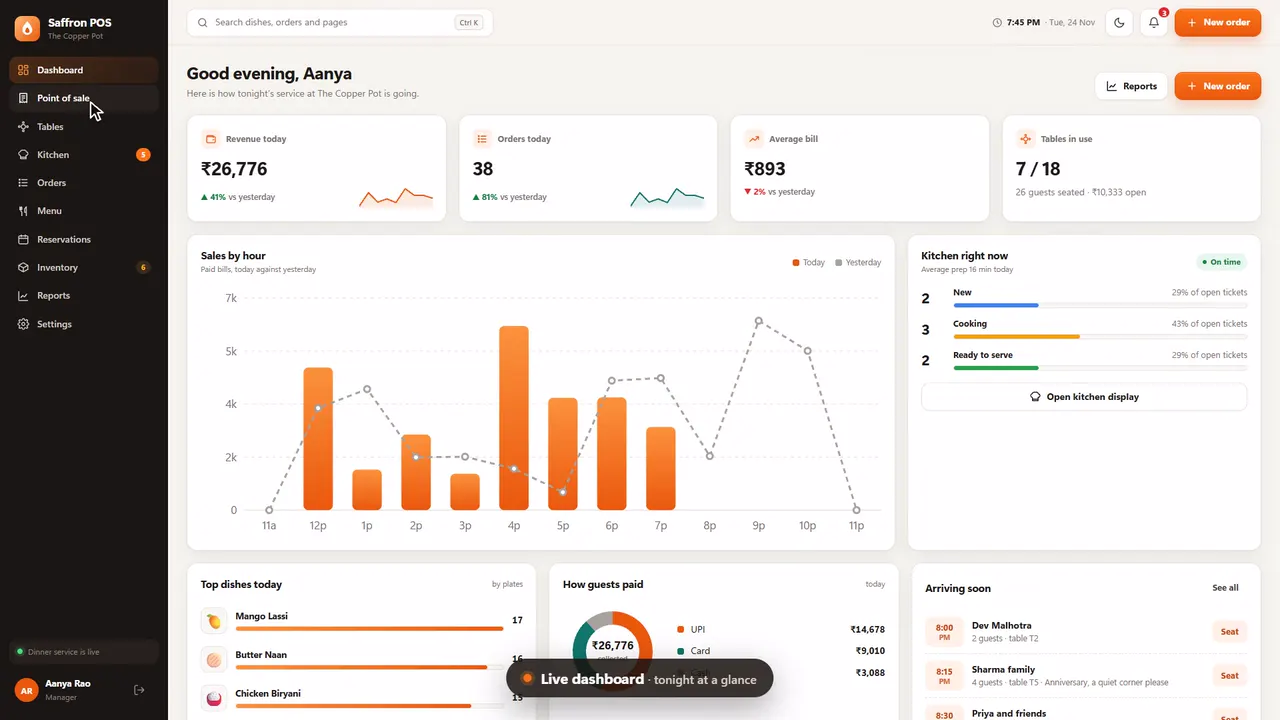
A point of sale, a kitchen display and an owner dashboard for one busy restaurant, in a single web app. Plus floor plan, bookings, stock and reports.
Who is it for?
Problem → solution
Real pains from a busy dinner service, and what the app does about each one.
- Problem 01
Billing is slow at the counter, and the queue keeps growing.
What the app doesBuild the order in a few taps, then charge by UPI, card or cash.
- Problem 02
Orders get mixed up between the floor and the kitchen.
What the app doesEach ticket reaches the kitchen at once, with notes and a timer.
- Problem 03
Owners only see the numbers after closing time.
What the app doesSales, top dishes and payment mix update with every bill.
Key features
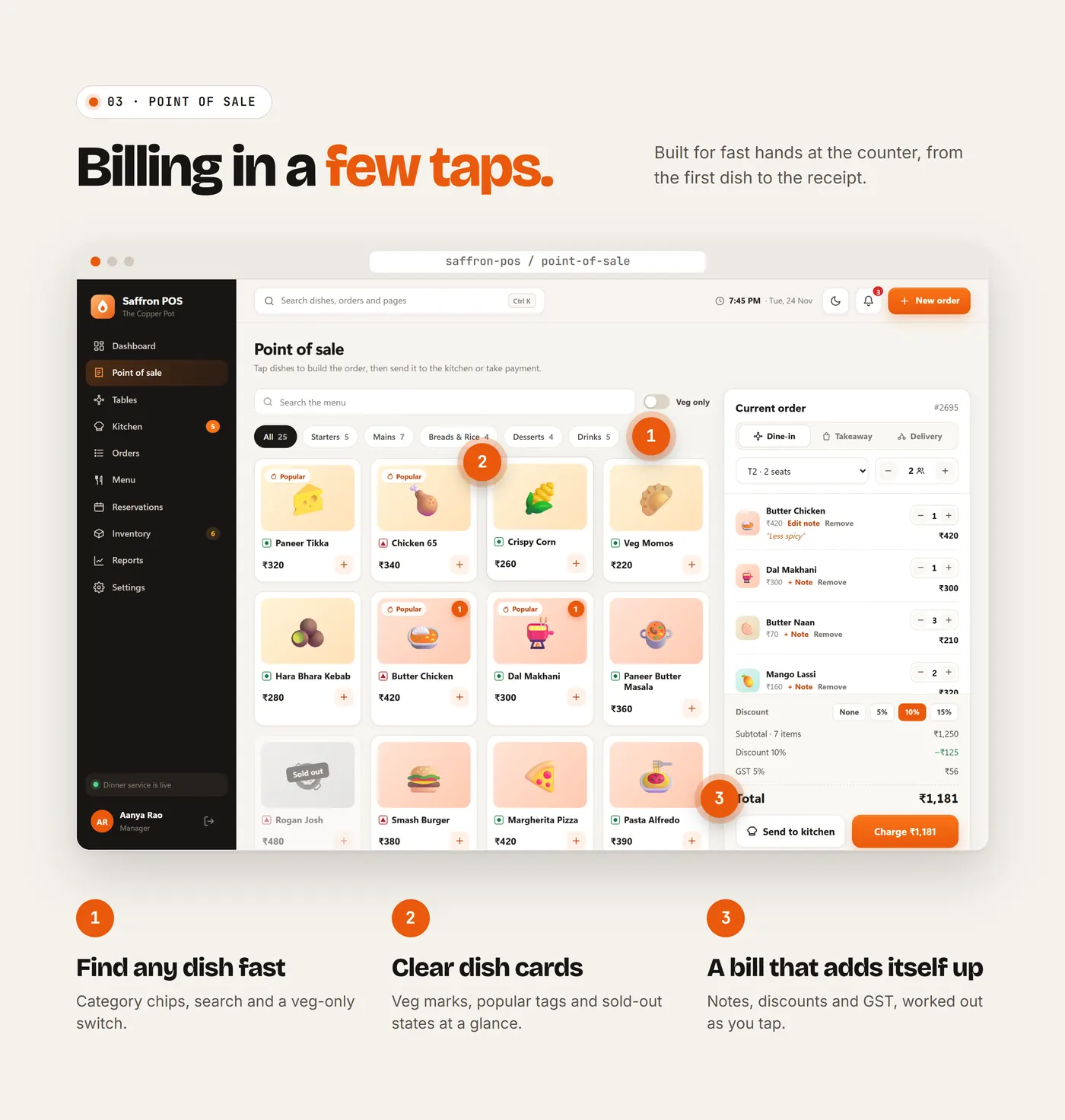
Billing in a few taps.
Built for fast hands at the counter, from the first dish to the receipt.
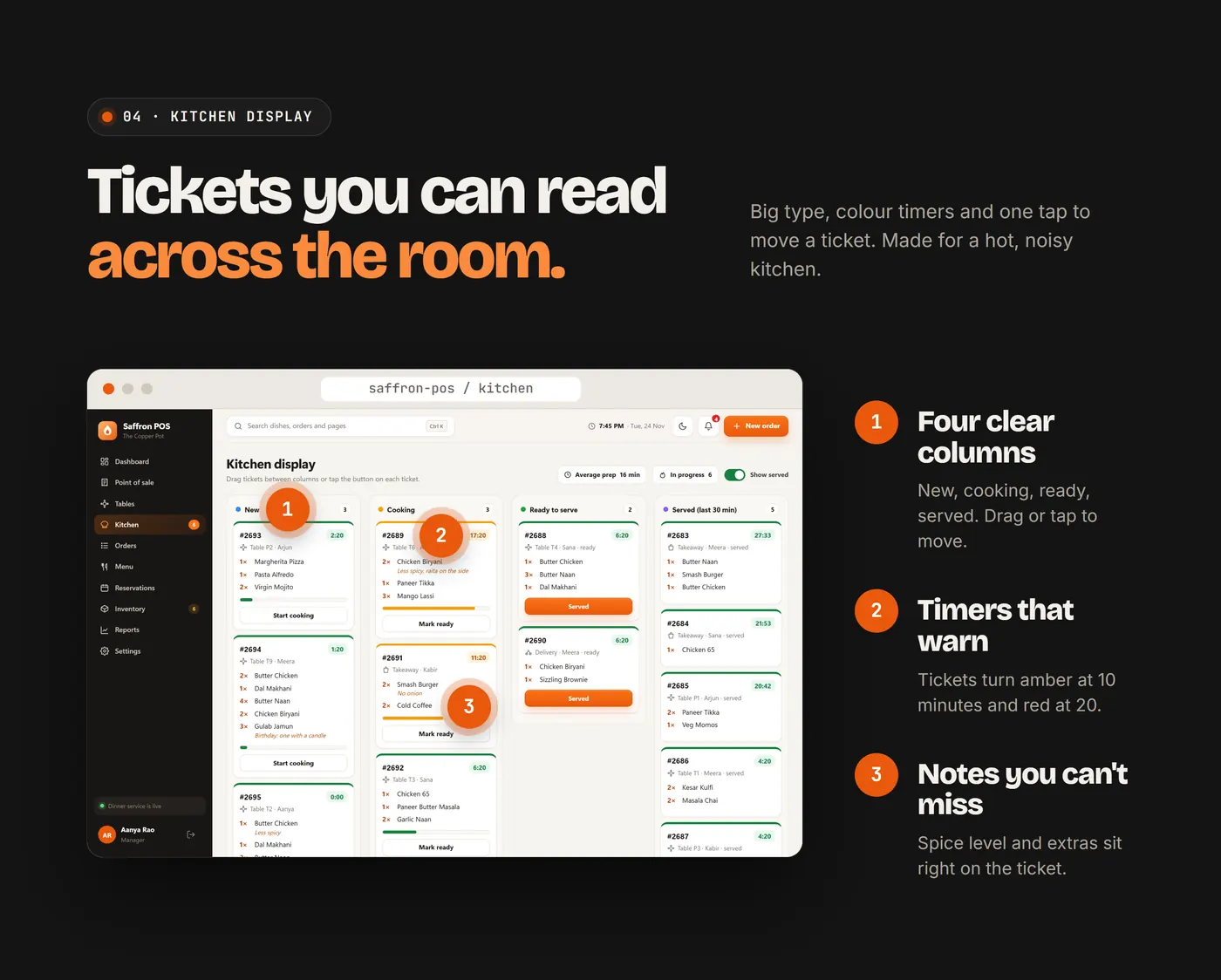
Tickets you can read across the room.
Big type, colour timers and one tap to move a ticket. Made for a hot, noisy kitchen.
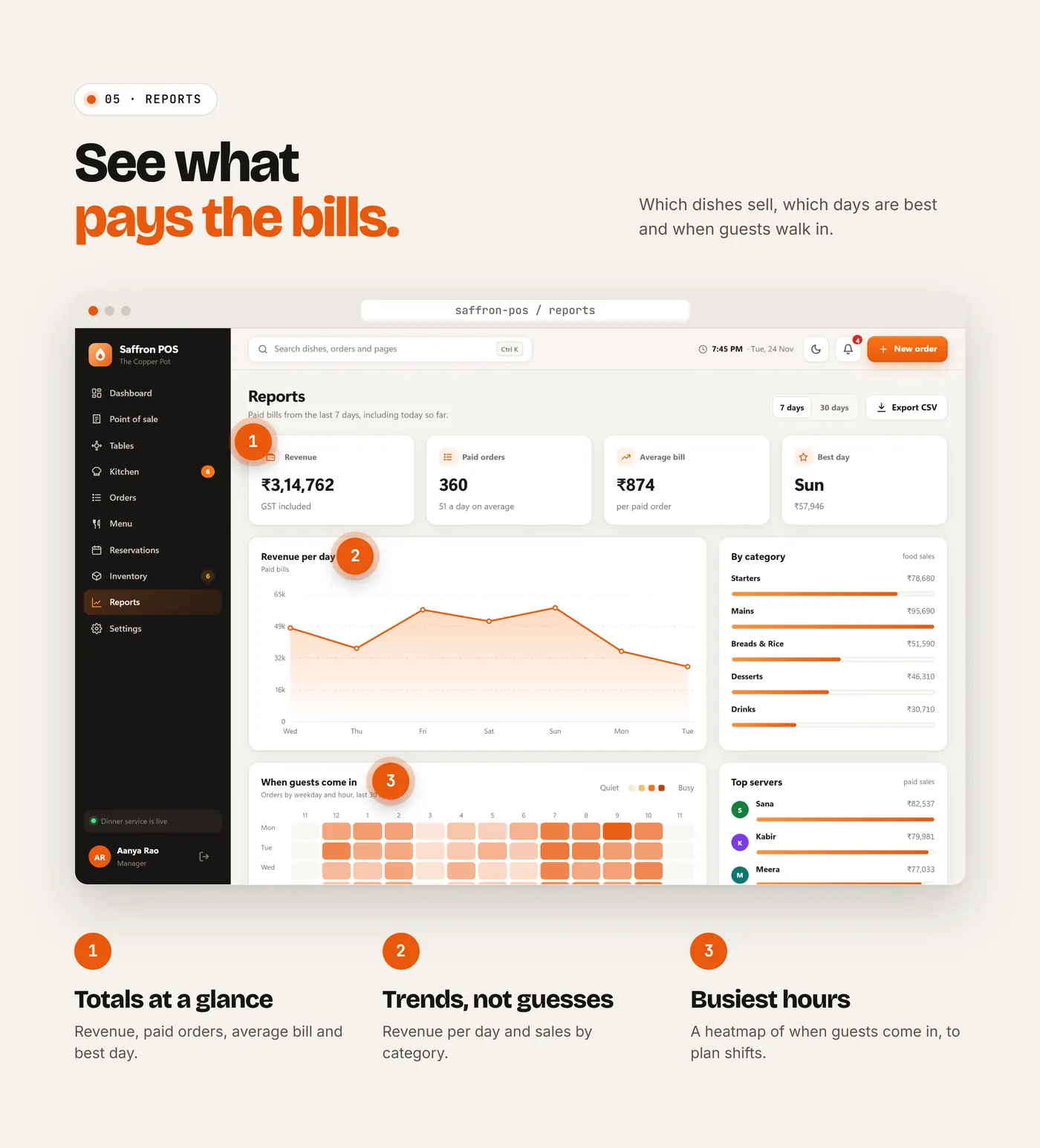
See what pays the bills.
Which dishes sell, which days are best and when guests walk in.
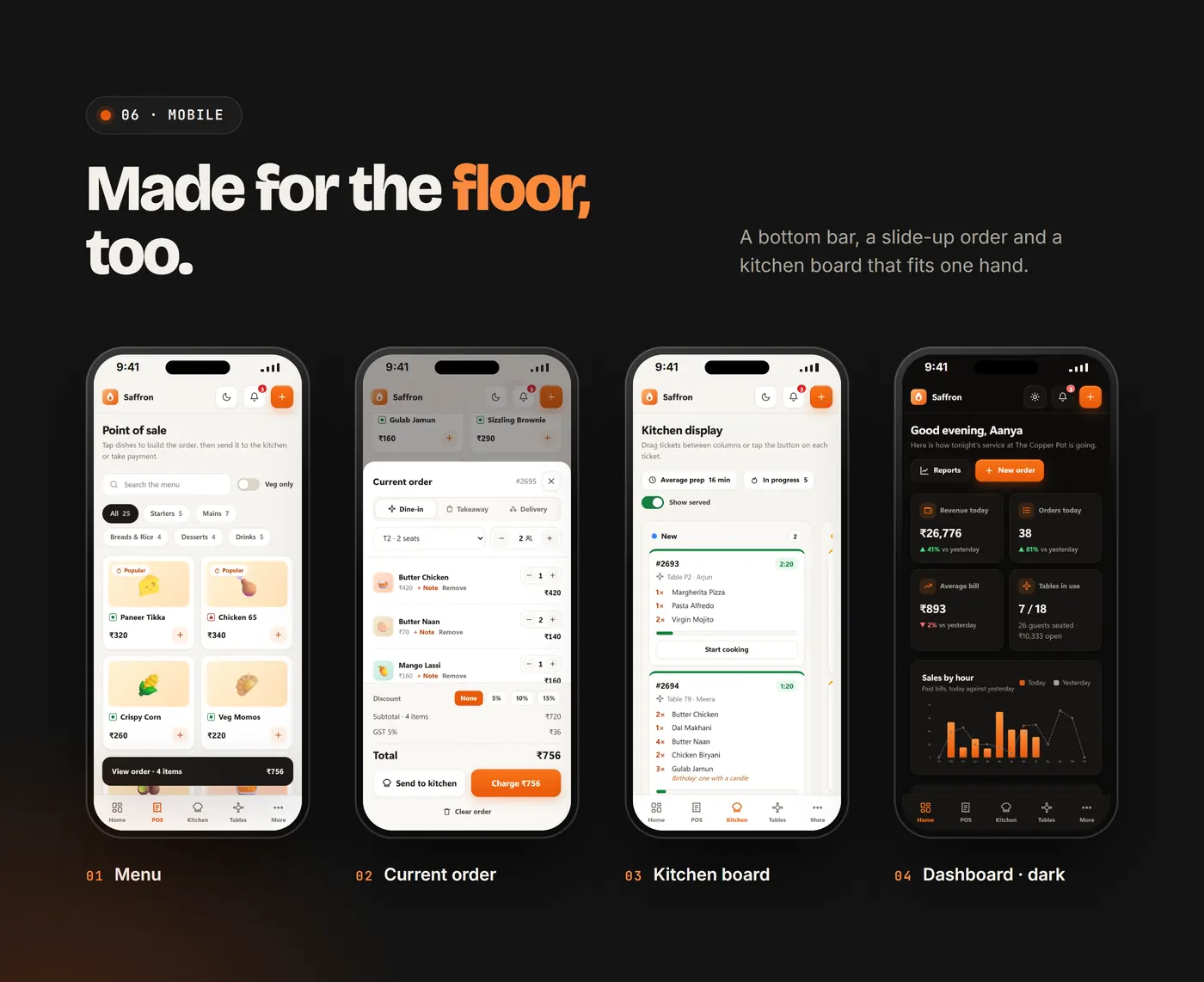
On a phone
Made for the floor, too. A bottom bar, a slide-up order and a kitchen board that fits one hand.
Design system
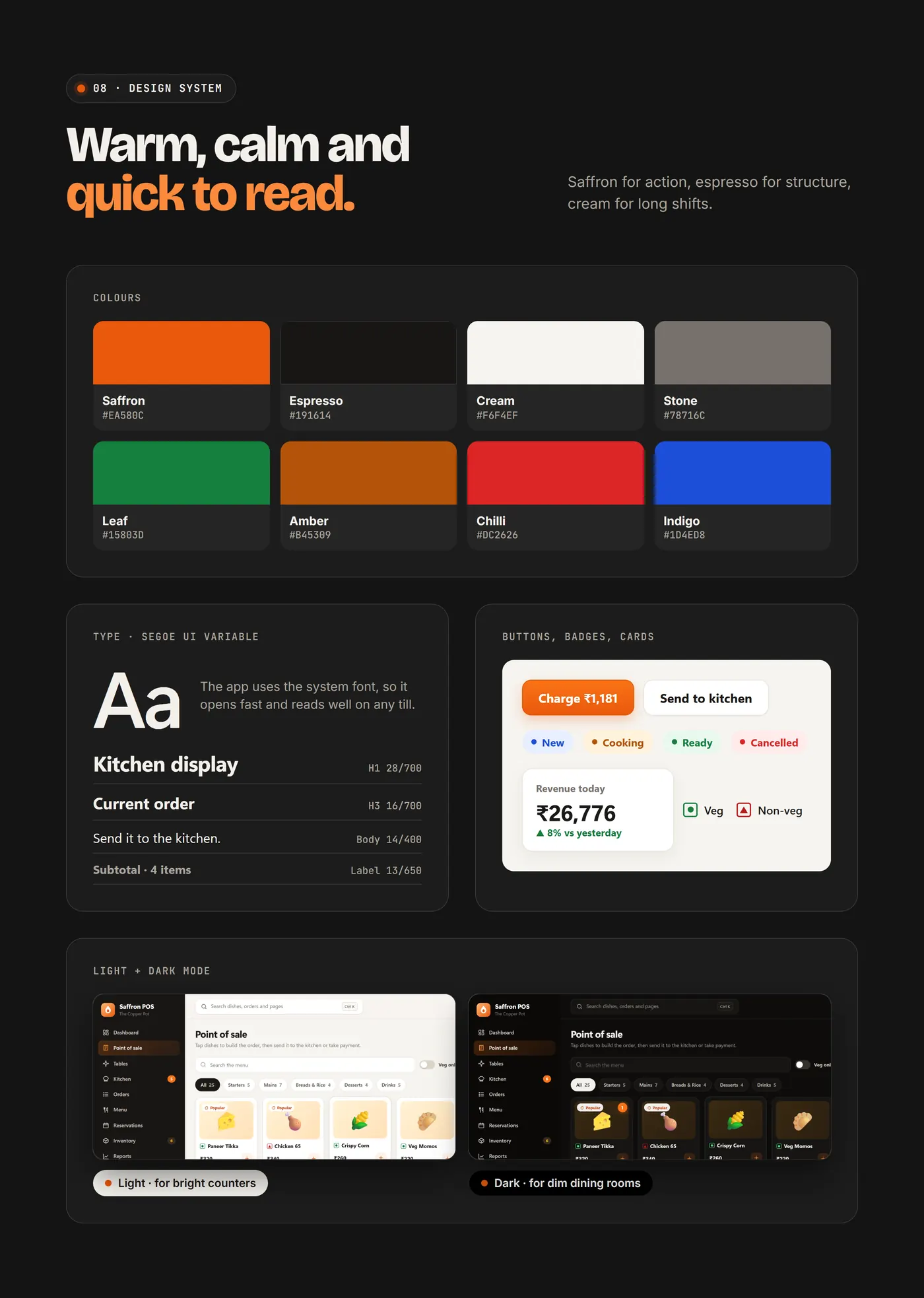
Warm, calm and quick to read. Saffron for action, espresso for structure, cream for long shifts.
#EA580C#191614#F6F4EF#78716C#15803D#B45309#DC2626#1D4ED8Type: Segoe UI Variable
How it was built
- Plain HTML, CSS and JavaScript: no framework, fast on a phone.
- Built with AI-assisted development: I set the brief, flows and design rules, then directed and reviewed the code.
- Light and dark mode, and layouts for desktop, tablet and phone.
- Sample data that moves with today's date and is saved in the visitor's browser.
- An automated end-to-end test (Playwright) clicks every button, and runs again on fixed dates such as 31 December and 1 April.
- Concept project: the brand, people and data are fictional.