Case study · Logistics · 2026
Waybillow.
A parcel delivery tracking web app for a city courier: dispatch desk, driver app and a public tracking page.
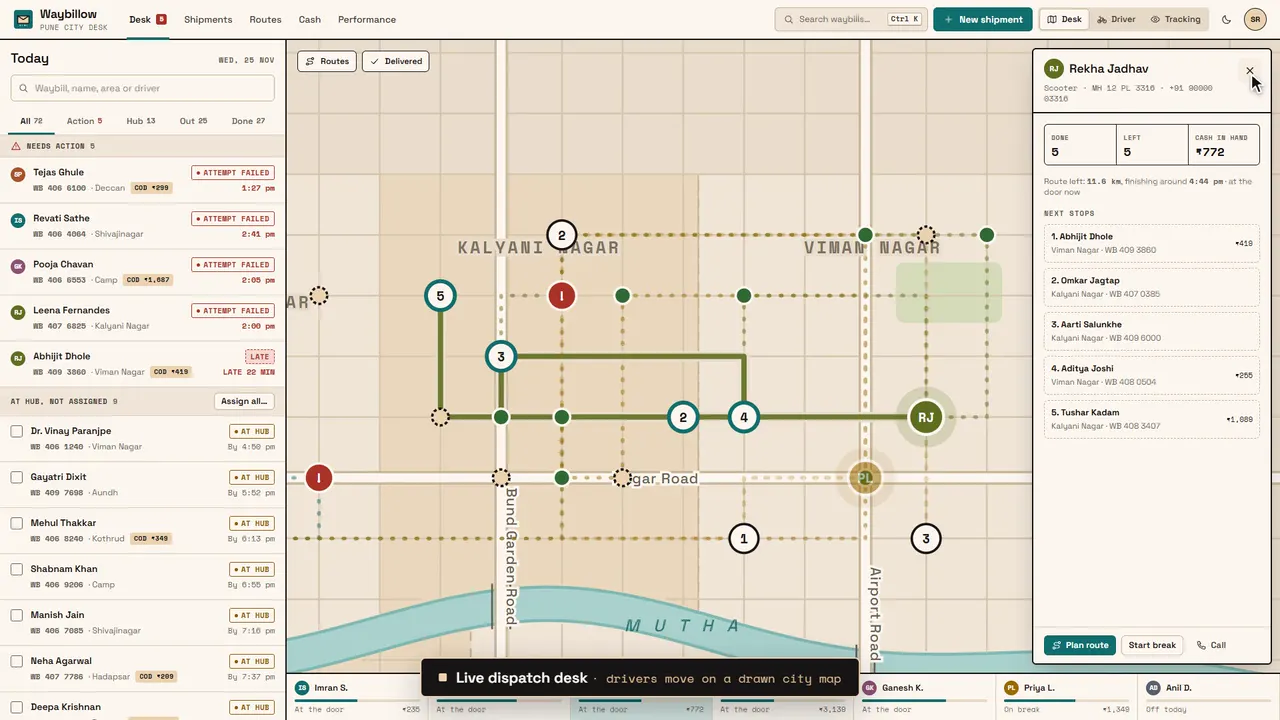
Overview
A dispatch desk with a live city map, a driver app and a public tracking page for one city courier in Pune. Plus routes, cash on delivery and daily performance.
Who is it for?
Problem → solution
Everyday pains at a city courier desk, and what the app does about each one.
- Problem 01
Routes live in the driver's head, so bikes zig-zag across the city.
What the app doesDrag stops into order. Route, distance and finish time redraw at once.
- Problem 02
Proof of delivery is a paper slip that gets lost or smudged.
What the app doesThe driver takes a photo and a signature on the phone. The desk sees it at once.
- Problem 03
Customers call the desk all day to ask where their parcel is.
What the app doesA public page shows an arrival window and the live timeline.
Key features
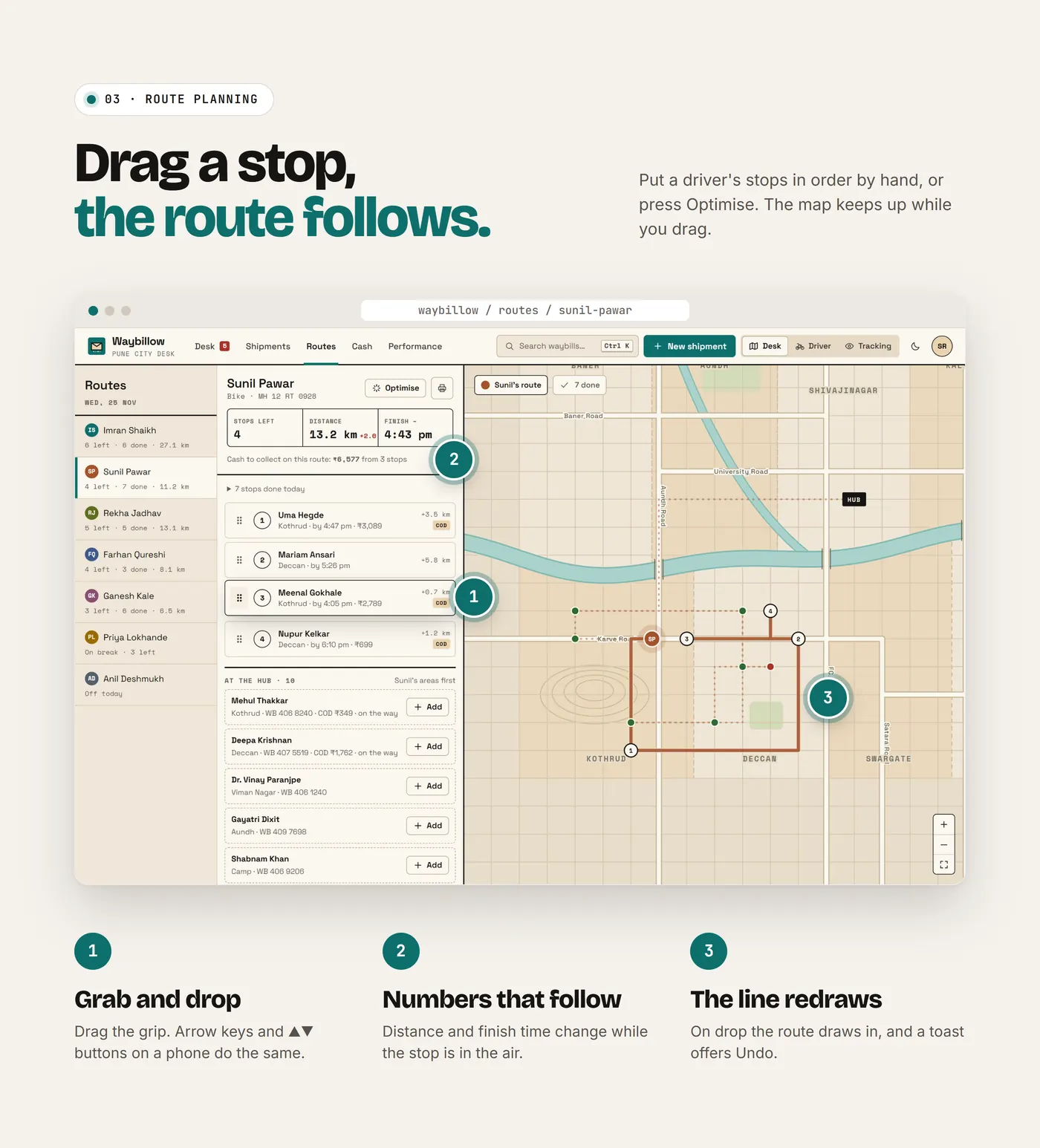
Drag a stop, the route follows.
Put a driver's stops in order by hand, or press Optimise. The map keeps up while you drag.
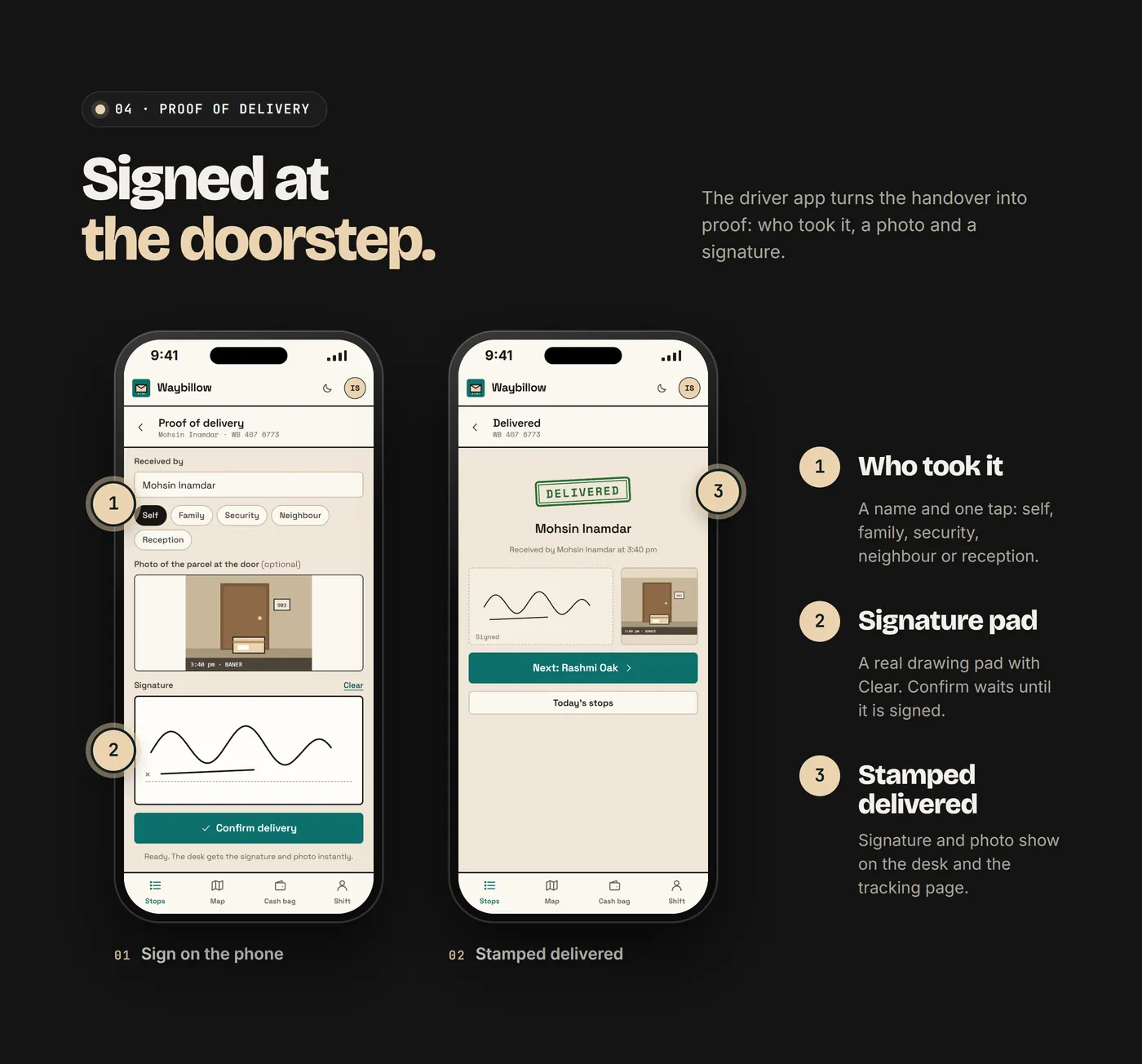
Signed at the doorstep.
The driver app turns the handover into proof: who took it, a photo and a signature.
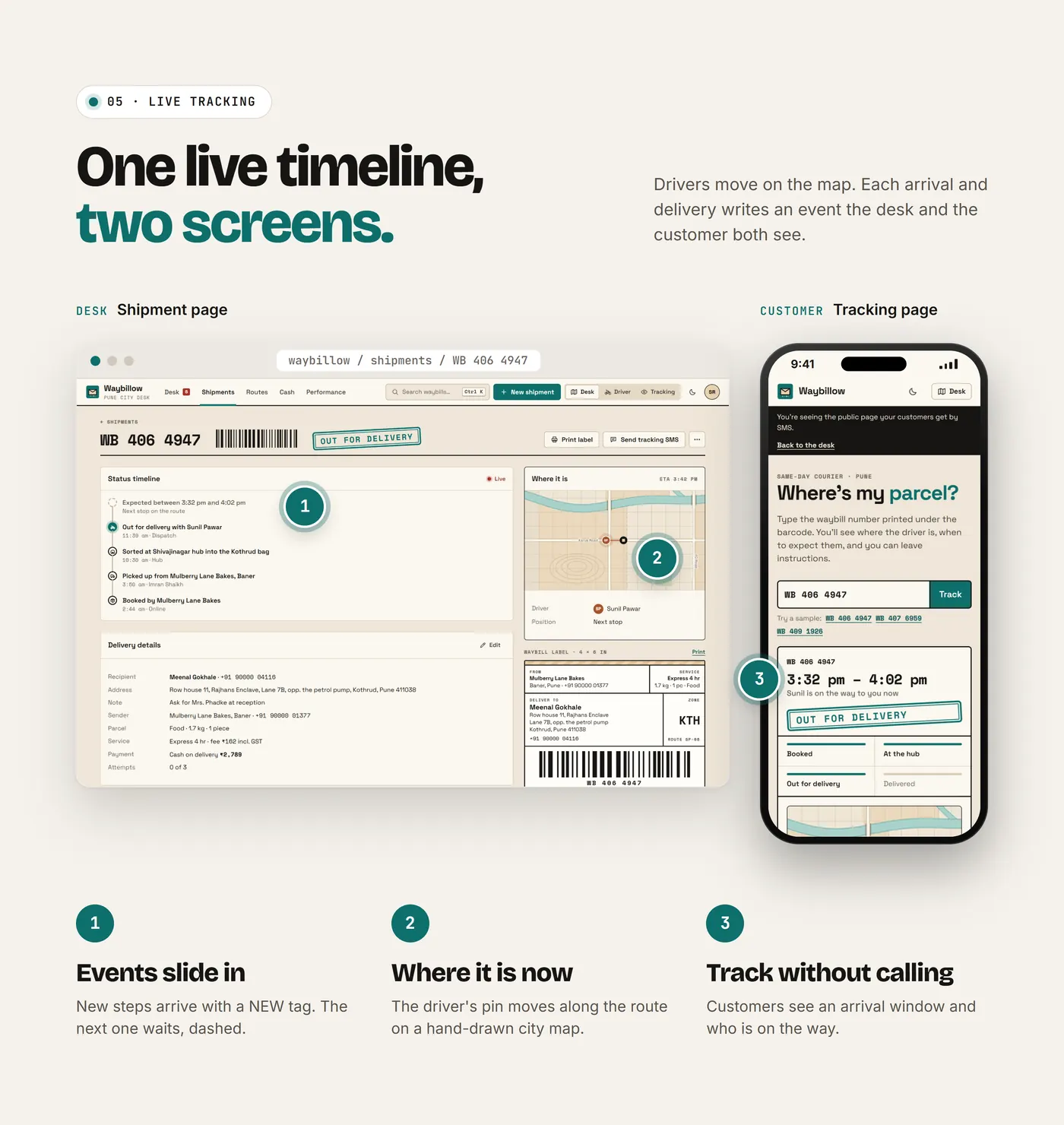
One live timeline, two screens.
Drivers move on the map. Each arrival and delivery writes an event the desk and the customer both see.
On a phone
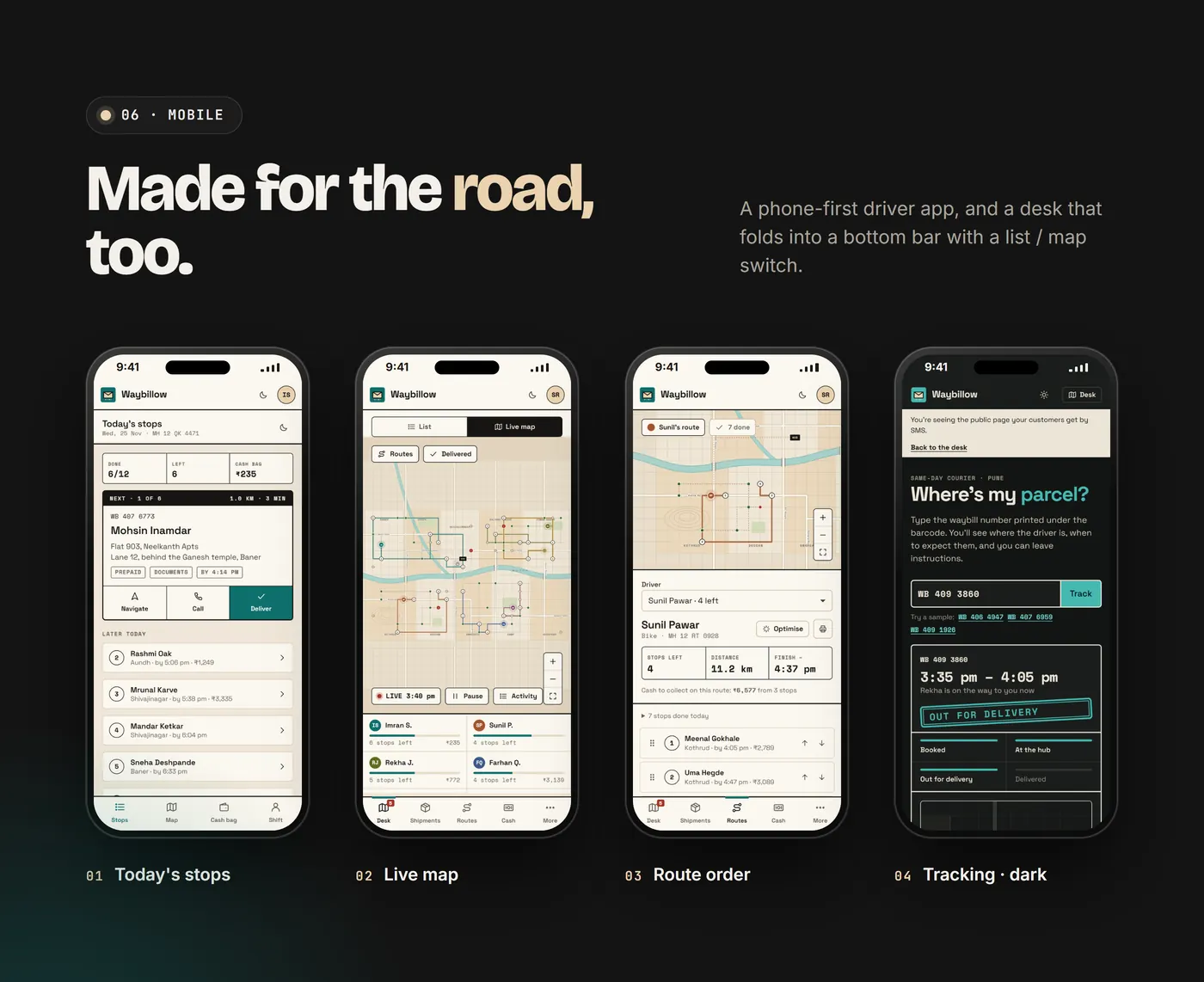
Made for the road, too. A phone-first driver app, and a desk that folds into a bottom bar with a list / map switch.
Design system
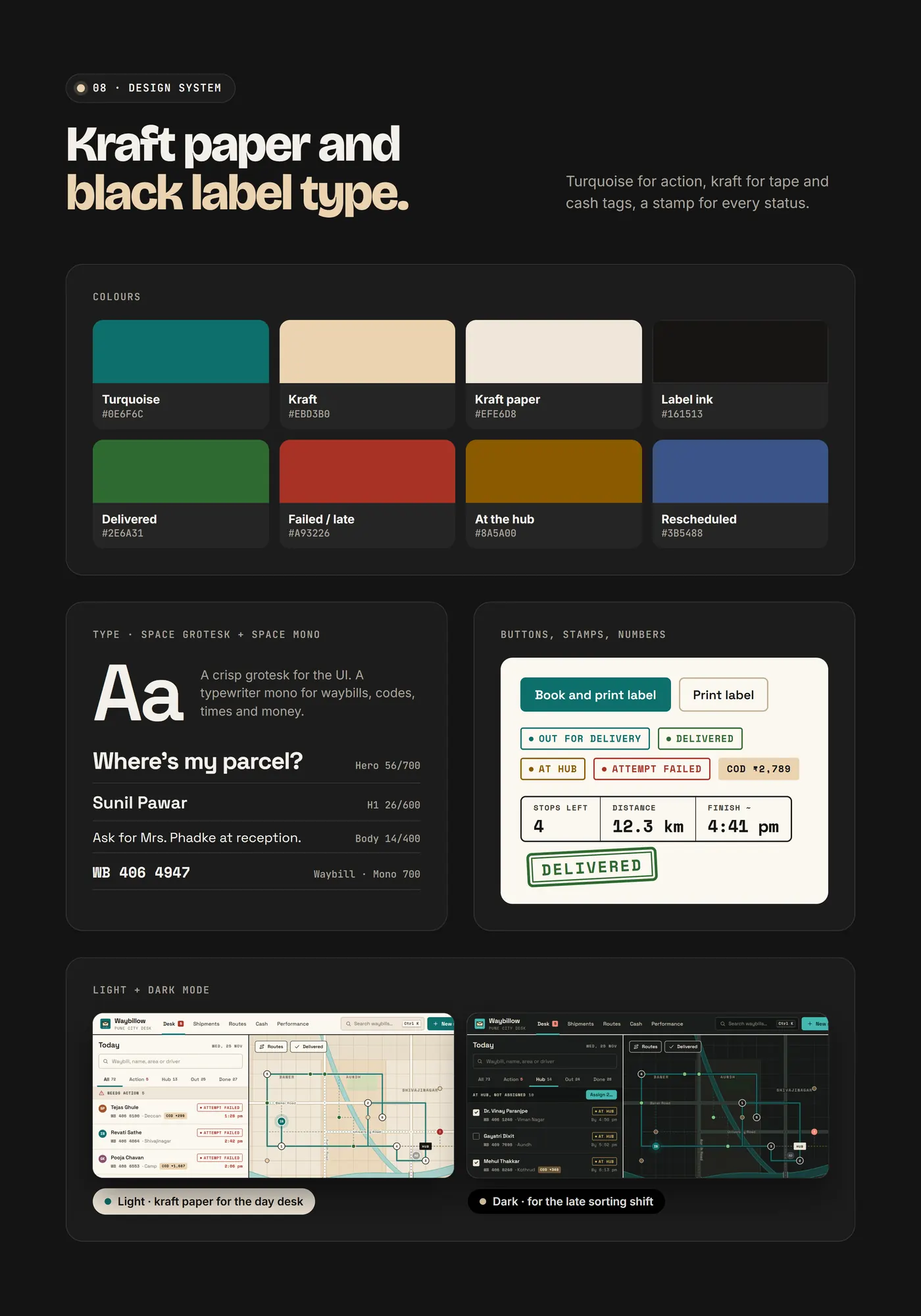
Kraft paper and black label type. Turquoise for action, kraft for tape and cash tags, a stamp for every status.
#0E6F6C#EBD3B0#EFE6D8#161513#2E6A31#A93226#8A5A00#3B5488Type: Space Grotesk + Space Mono
How it was built
- Plain HTML, CSS and JavaScript: no framework, fast on a phone.
- Built with AI-assisted development: I set the brief, flows and design rules, then directed and reviewed the code.
- Light and dark mode, and layouts for desktop, tablet and phone.
- Sample data that moves with today's date and is saved in the visitor's browser.
- An automated end-to-end test (Playwright) clicks every button, and runs again on fixed dates such as 31 December and 1 April.
- Concept project: the brand, people and data are fictional.
Keep lookingMore case studies
Palletspire
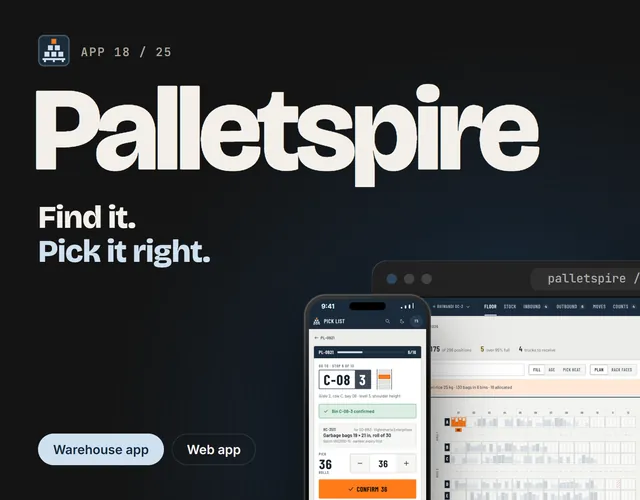
A warehouse inventory web app for a home and kitchen distributor: rack map, receiving, guided picking and cycle counts.
Hirethistle
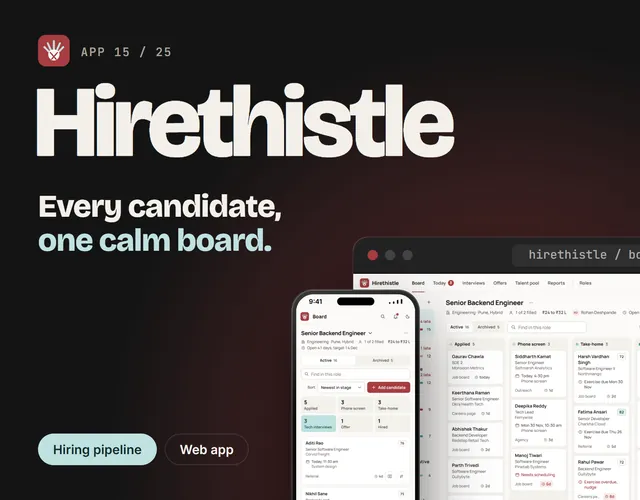
A hiring pipeline for a 40-person company: roles, a stage board, interviews, scorecards and offers.
Girdernote
A site project tracker for a small building contractor: programme, site diary, snags on the plan and running bills.